Your system still works. We'll keep it that way, and make it better.
Support, fixes, new features and gradual modernisation for the business systems you already rely on. Built on Microsoft technologies, from Access and classic ASP to SQL Server and .NET. Based in London since 2004.
- Free, no-obligation review
- Fixed prices preferred
- You speak to the developer, not an account manager
The system does the job. The worry is everything around it.
Most of the organisations that come to us are not looking for a new system. They are looking for someone who can take responsibility for the one they have.
The developer has gone.
The company that built it has closed, or the freelancer has retired. Nobody has touched the code in years and nobody wants to be the first.
One person understands it.
A key member of staff has left, or is about to, and the system's workings are leaving with them.
It runs on a server in a cupboard.
An ageing on-premises box, a backup routine nobody has tested, and no clear plan for what happens if it fails.
It can't do the next thing.
You need a new report, a new field, an integration with your accounts package or CRM, or more users, and there is nobody to ask.
It's really a spreadsheet, or an Access database.
It has grown over years, several people depend on it, and it is now far too important to be as fragile as it is.
You've been quoted for a rewrite.
Someone has proposed replacing everything. The number is large, the timescale is long, and you are not convinced it is necessary.
Take it on. Keep it running. Move it forward.
We have spent more than two decades building and maintaining data-driven systems on the Microsoft stack. That experience is most useful when applied to a system that already exists.
Assess and document
We establish what you actually have: the database, the code, the hosting, the dependencies and the risks. Then we write it down, so you are never in this position again.
Stabilise and fix
Bugs, performance problems, failing reports, expired certificates, unsupported components. The things that have been quietly tolerated because there was nobody to fix them.
Add what's missing
New features, new reports, new screens for mobile use, integrations with the accounting, CRM and operational systems you already depend on, and practical AI where it genuinely helps.
Move it to the cloud
Many SQL Server and .NET systems can be moved to Microsoft Azure with configuration rather than a rewrite: no more server in the cupboard, proper backups, and access from anywhere.
Modernise in stages
When parts genuinely do need replacing, we replace them one at a time, around the data and the working practices you already have, so the business never stops.
Stay on hand
Ad-hoc support by the hour, or a small monthly retainer so that help is simply there when it is needed.
Request a free system review
Tell us a little about the system and we will come back within one working day to arrange a look. No obligation, and you will get our view in writing.
Prefer to talk? Call 020 7712 6557, weekdays 9am–6pm.
No open-ended costs. No surprises.
The thing people fear most about touching an old system is not knowing what it will cost. So we take that off the table first.
Initial review free. Remote support £69 per hour; on-site £495 per day. Fixed quotations for defined work. All exclusive of VAT. See our full pricing →
If it was built on Microsoft in the last 25 years, we have probably met it.
We have worked across the Microsoft stack since the company was founded, on-premises and in the cloud. That includes the technologies most business systems of the last two decades were actually built with:
If yours is not listed, ask. Business systems are more alike than their labels suggest, and the database underneath is usually the part that matters most.
The case for building on the system you already own.
A replacement is sometimes the right answer, and when it is we will say so. But a working system is a considerable asset, and the reasons to keep it are stronger than they are often given credit for.
Cost
Avoiding large capital outlays in advance of business benefits. Depending on their complexity, large replacement systems may take months or even years to develop, tweak and integrate. During this time capital is continually outlaid before the business sees a return.
Timescale
When a new feature is required, it is usually possible to add it quite quickly to an existing system. With a replacement, the whole system has to be built and operational before the new feature becomes available.
Reliability
Existing systems have been extensively debugged through years of use and have proved their reliability. Only the changes need to prove themselves.
Staff retention
An organisation's top asset can be its staff. People find change stressful, and sudden change so stressful that they may not want to stay. Staff who have learned a system, with all its faults and workarounds, should not be asked to suddenly work in a new way.
Incremental modernisation
Things move on; at some point newer technology has to replace the old. But new technology and features can be introduced gradually, and the existing system will evolve into what it needs to be, at a pace set by business needs and budget rather than by a project plan.
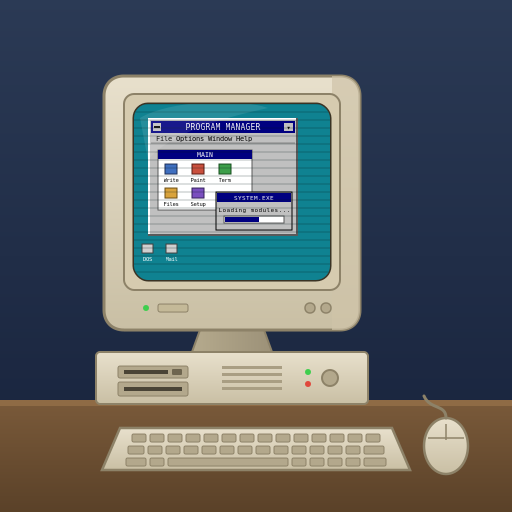
Twenty years of building on a music service's system.
A UK local authority's music service runs instrumental lessons across around seventy schools. We were asked to look at its classic ASP system in 2006 because the previous developer was no longer available. We took on its support, modernised the front end in 2009, added what the service needed over the years, and in 2026 moved it to Microsoft Azure without interruption.
The same system, steadily improved, has now run the service for two decades.
Read the case study →- 2006: took over support of a classic ASP system when its developer became unavailable
- 2009: front end migrated to ASP.NET, same database, no retraining
- Communication, reporting and server migrations handled as the service's needs changed
- 2026: moved to Azure App Service and Azure SQL, with Microsoft Entra authentication
Things people usually ask first.
Our developer has gone and we have no source code. Can you still help?
Usually, yes. We start by establishing exactly what you have: the database, the hosting, any compiled applications and any documentation. Databases can almost always be worked with directly. Where source code is genuinely lost, there are still options, from recovering what we can to rebuilding one piece at a time around the data you already hold.
Will you tell us to replace the whole system?
Only if that is honestly the best option, and we will say so in writing with the reasons. In our experience most systems that still do the job are worth keeping and improving; the review exists to find out which is true for yours.
What does the review involve and what does it cost?
A conversation, remote access to the system or a copy of it where that is possible, and a short written note setting out what you have, what we would recommend and what it is likely to cost. The review is free and carries no obligation.
Can you move an on-premises system to the cloud without rewriting it?
Often, yes. Many systems built on SQL Server and .NET can be moved to Microsoft Azure with configuration changes rather than a rewrite, which removes the server in the cupboard and the backup worries without changing what your staff see.
How do you charge for ongoing support?
Fixed prices are our preference for any defined piece of work. Where occasional or ongoing support is needed without a specification, remote support is £69 per hour and on-site support £495 per day, exclusive of VAT. A small monthly retainer is also available so that help is on hand without a new quotation each time.
Where are you, and do you work on site?
We are in Canary Wharf, London. Almost all support is done remotely these days, but we will come to you when a system is not online or when it simply makes sense to sit down together.
Practical notes on systems that already exist.
-
What happens to your software when your developer retires?
What to do before that person goes, and what to do if they already have.
-
Should you replace your Access database, or build on it?
When to keep it, when to move the data to SQL Server, and when a replacement is really warranted.
-
Moving an on-premises SQL Server system to Azure without a rewrite
What the move involves, what it fixes, and the handful of things that catch people out.
Want to talk it over? So do we.
Tell us about the system and the help you need. We typically reply within one working day.